Email Settings
Overview
This document shows how to define email lists.
- Author
DanielD/Shan/Abhijit/
- Date
Nov 01, 2021
- Version
7.4.0
To Start
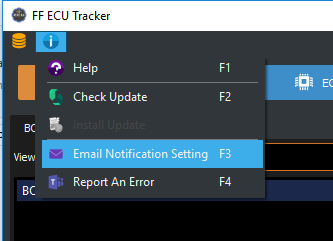
Click the information menu button > ‘Email Notification Setting’.
Use short cut ‘F3’ to open the email setting window.
Edit Email List
To edit/add/delete an email list to a domain group, right click on the target.
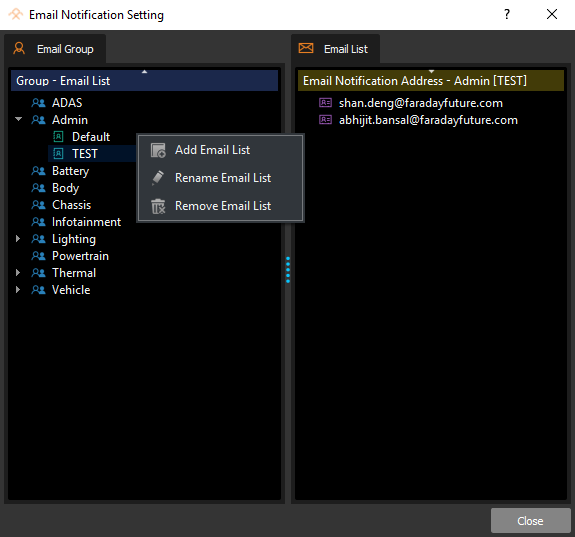
Each domain group should have a ‘Default’ email list, which will automatically be used in package jobs.
After Beta test, the ‘Default’ email list of each group is only allowed by admin user.
- Based on user access information, user can only modify the email list that belongs to his/her domain.
eg. A user with 'BatteryDomainTest' privilege can only make changes to Battery domain email lists
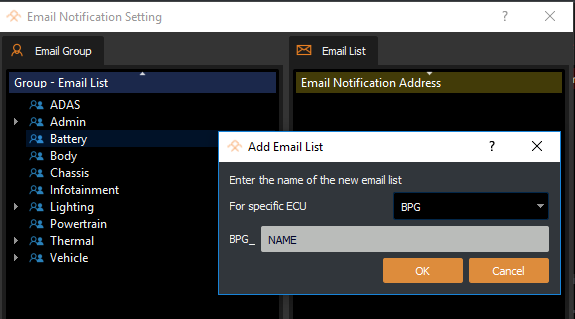
To create a email list for specific ECU, select the target ECU in the list editing dialog.
Note
The ECU auto populating requires loading database before editing. A ECU name prefix will be automatically added to the list name.
Edit Email Address
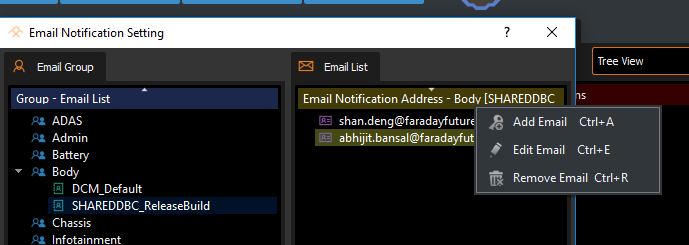
To edit/add/delete an email address from an email list, right click on target.
Note
[CTRL+A] short cut for adding a new email.
[CTRL+E] short cut for editing an existing email.
[CTRL+R] short cut for removing an existing email.
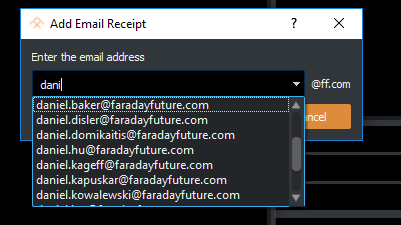
Only Faraday Future email address is allowed.
Type in the address box to filter the address for searching.
Email List Usage
Use email list picker to choose target email lists for notification when:
Create/Update package
Change package version status
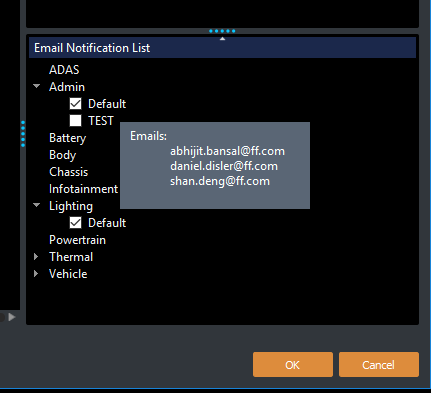
Hover over the email list name to view the email addresses included.
The package domain ‘Default’ list will be automatically selected.