Generate Enovia Package Configuration
Overview
This document shows how to generate vehicle manifest configuration excel file for Enovia
- Author
Shan Deng
- Date
Nov 01, 2021
- Version
7.4.0
Introduction
This feature is used to create configuration excel file for Enovia.
The target package is Vehicle level and has to be successfully built.
The output file is target for single manifest belong to the vehicle package.
How
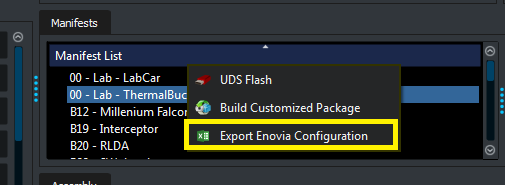
To generate file, go to Manifest List (right click)> Export Enovia Configuration.
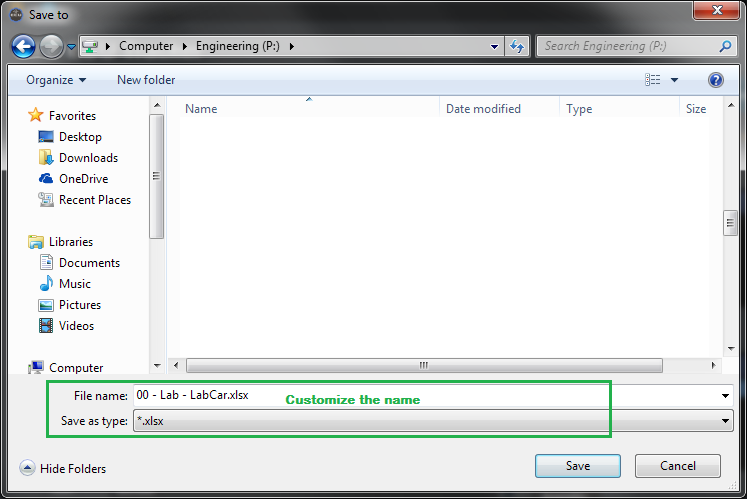
Use the pop up file dialog to select the output path with a customized name (default is the manifest name).
Command Line Usage
This feature is also available in the ECU command line tool.
Follow arguments are used to generate the export file.
–enovia_pk the name of the source vehicle package
–enovia_mf the name of the target manifest
–enovia_output the full path (include file name) of the output file.