Generate Enovia CSV
Overview
This document shows how to generate CSV file for Enovia
- Author
Daehyeok
- Date
Nov 01, 2021
- Version
7.4.0
CSV File Usage
The generated csv file is used in the Enovia system to import part’s infomation.
To Start
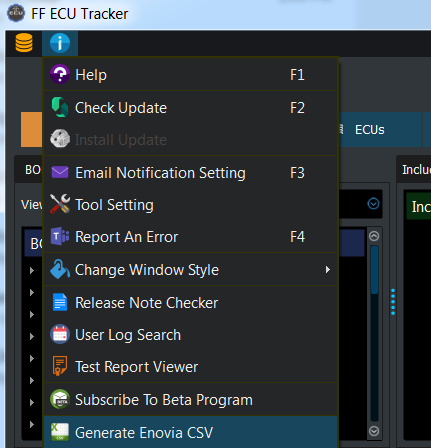
To generate file, go to .
Enovia CSV Window
Below window will be pop upped to select Enovia CSV option.
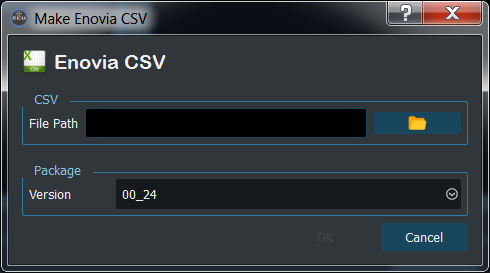
File Path - CSV file path to save.
Version - Select package version to extract software infomation.