Package Build Log
Overview This document contains the instruction for the Package Build Log feature.
- Author
Shan Deng
- Date
Nov 01, 2021
- Version
7.4.0
Introduction
From version 5.0.0 this feature will be available
User Last Build Log is the last build log specified for each user.
Package Last Build Log is the last build log specified for each package.
The build log will using the Error Code System ECU Tracker Error Codes
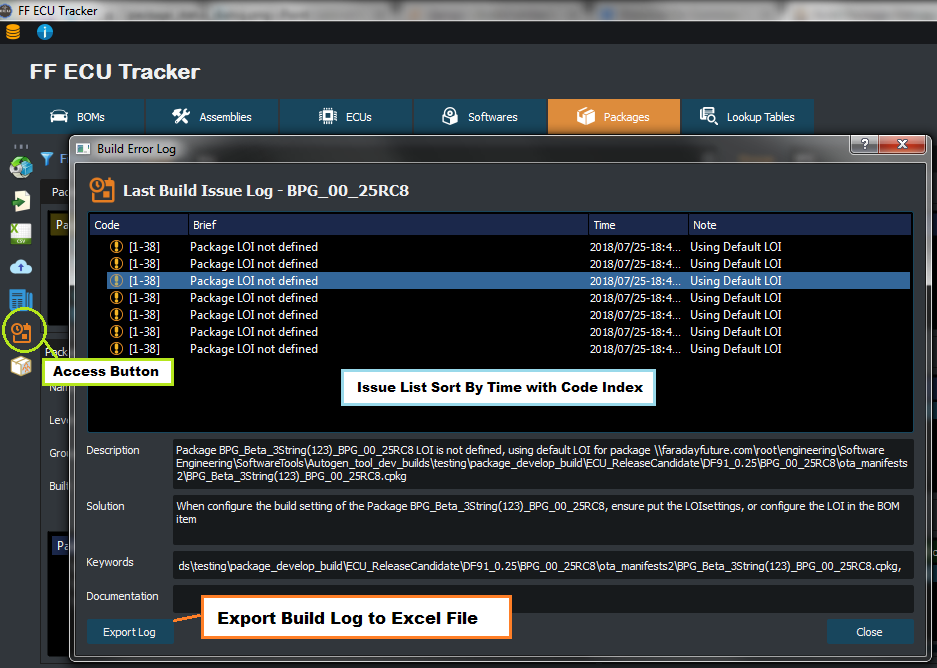
User Last Build Log
User log will be update after building package.
All errors and warning occurred during the build will be included.
The build log can be accessed from Package Window>Tool Bar>View Last Build Issue Log.
A Short Cut [CTRL+SHIFT+B] also provide for quick access.
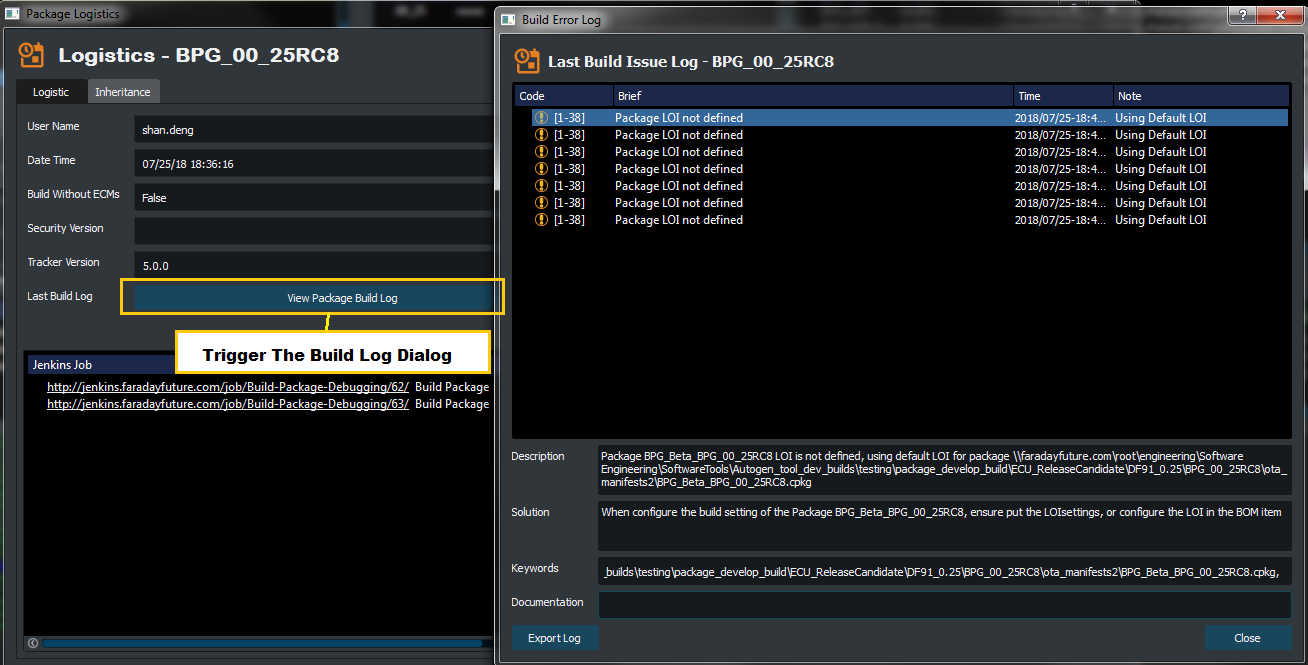
Package Last Build Log
Package log will be update after create or rebuild.
All errors and warning occurred during the build will be included.
The build log can be accessed from the Package Logistic in package right click menu.
A Short Cut [CTRL+SHIFT+B] also provide for quick access.
Usage
Base on the Code check the document at ECU Tracker Error Codes
Export the build log to excel file by clicking Export Log
Detailed description can be find in Description