Release Note Checker
Overview Below is the comprehensive description of the Release Note Checker.
- Author
Daniel/Shan/Abhijit
- Date
Nov 01, 2021
- Version
7.4.0
The Release Note Checker is a tool that will tell you whether your release notes are in the valid format or not. It checks the file name and also the contents of the file for valid format.
Where
The Release Note Checker can be found in .
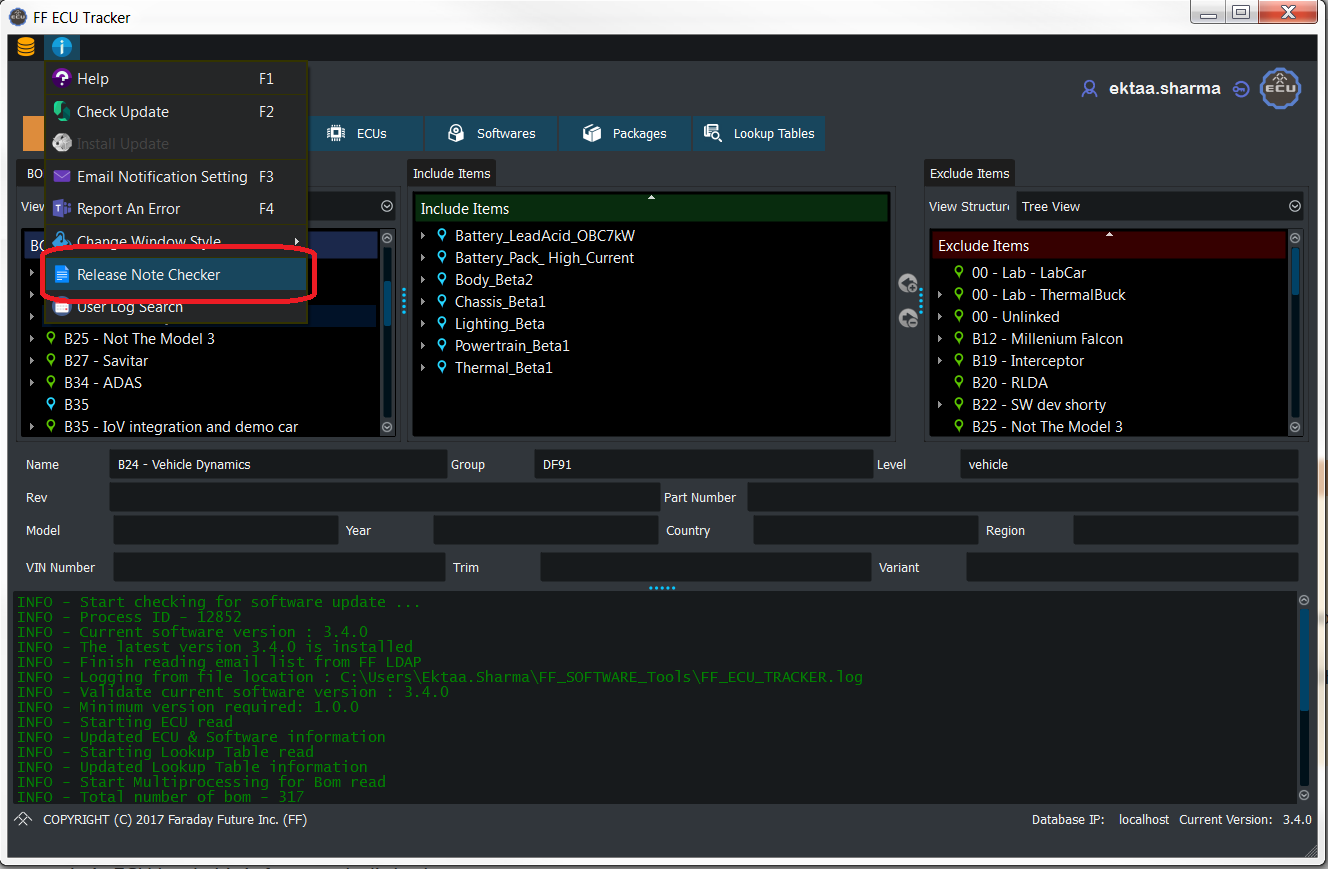
How
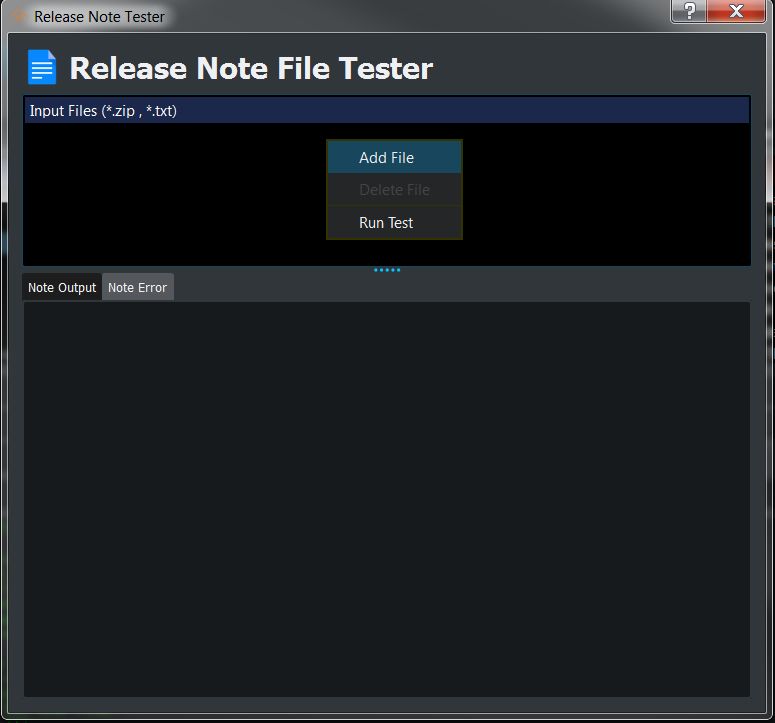
You can add your release notes .txt file or entire .zip file. To add files, right click anywhere in the Input Files window and click on Add File. You can also drag and drop files to the Input Files Window.
Usage
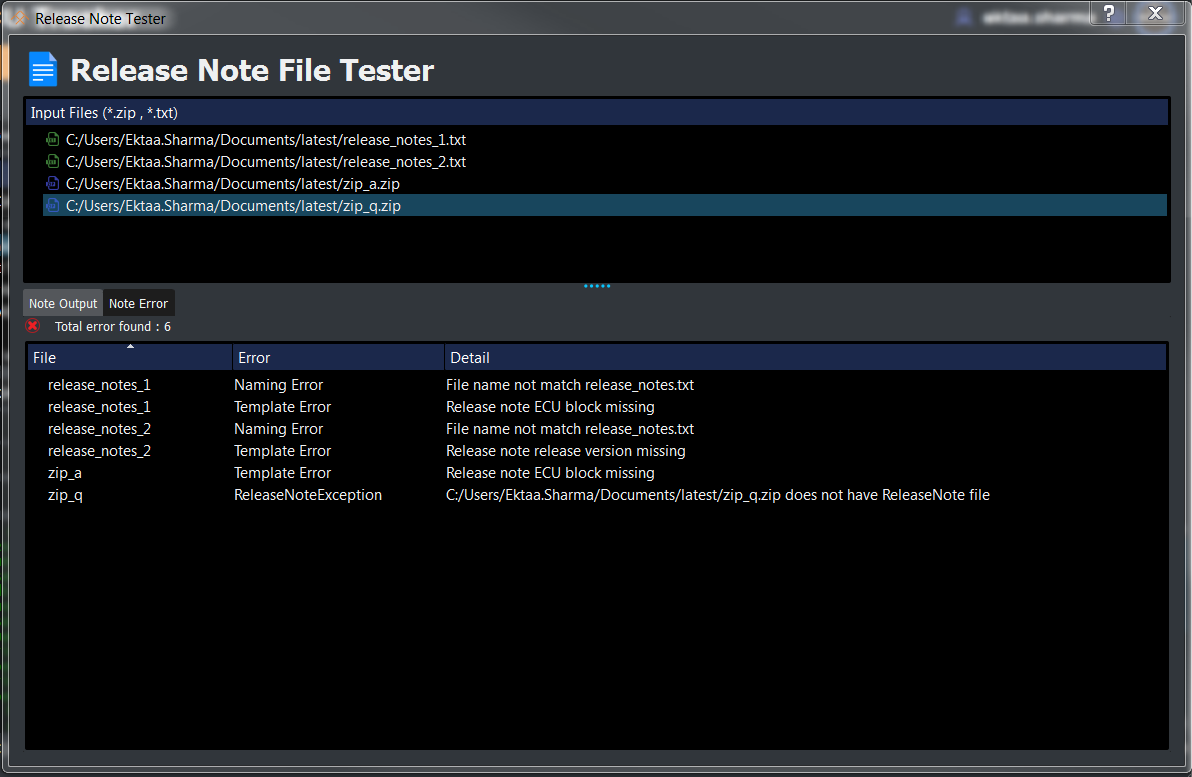
After adding the files, right click and select Run Test. If there are any errors with the release notes, they will appear in the Note Error window. Please read below the explanation for the types of errors shown in the image.
Case 1
In the case of release_notes_1.txt:
The name of the file is incorrect.
The contents of the file do not have an ECU block.
Case 2
In the case of release_notes_2.txt:
The name of the file is incorrect.
The second line in the file should have the release version.
Case 3
In the case of zip_a file:
It contains release notes labeled “release_notes.txt”, but it is missing the ECU block in the file.
Case 4
In the case of zip_q file:
It contains release notes labeled “release_notes_1.txt” which is an incorrect filename
Hence, the Release Note Checker didn’t find any valid release notes.
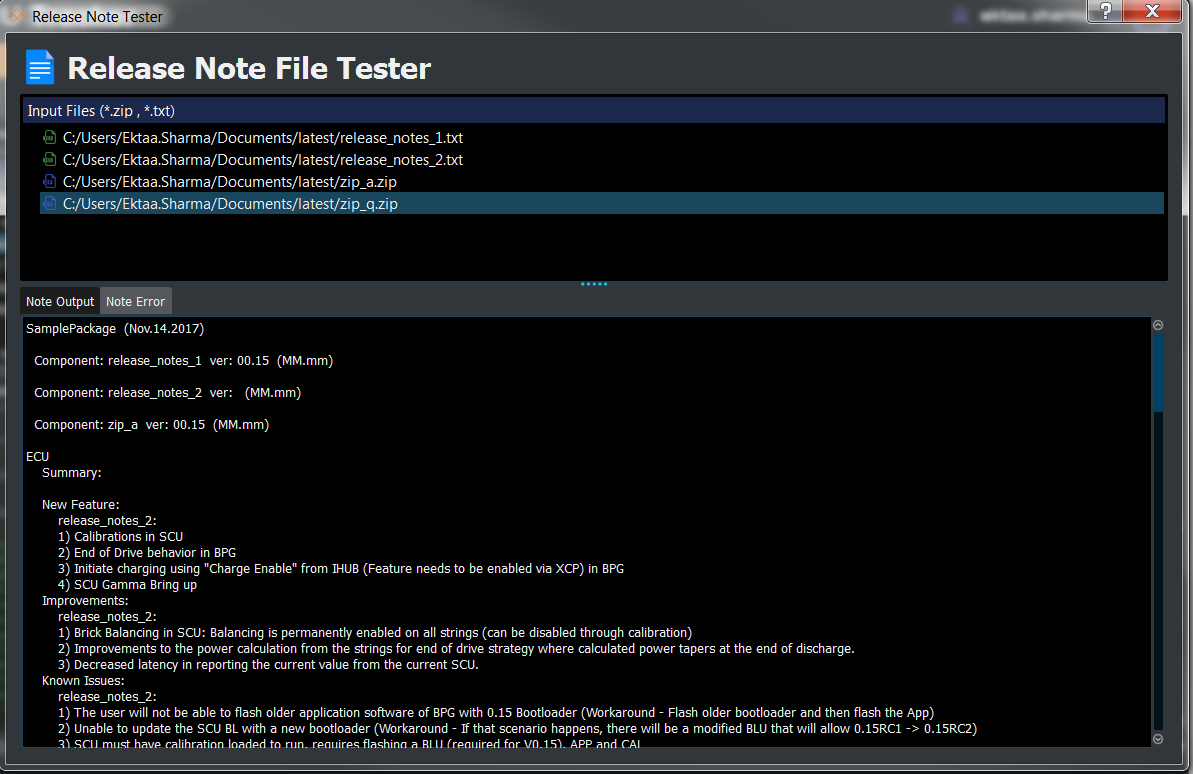
Note Output shows the format in which the release notes should be.
Sample Release Notes
For more sample release notes and examples, go to Release Notes.