UDS Flasher (Experimental Feature)
Overview
This document shows the UDS flashing feature of ECU Tracker. :Author: Shan/Abhijit/
- Date
Nov 01, 2021
- Version
7.4.0
UDS Flasher Setting
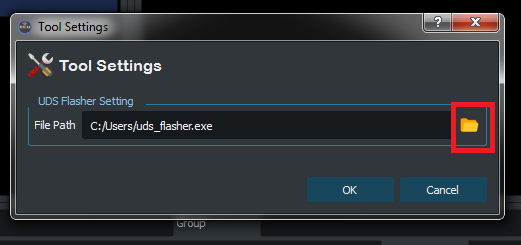
Before using the UDS flasher feature, a valid UDS flasher executable path setting is required.
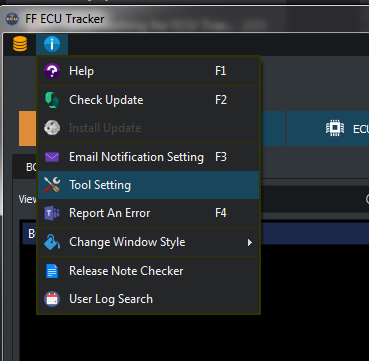
Go to Menu Bar select Tool Setting.
Use the folder icon to select the local flasher executable path, add click OK to save setting.
Flash Package Manifest
To Flash ECUs of a Manifest please follow the blow steps:
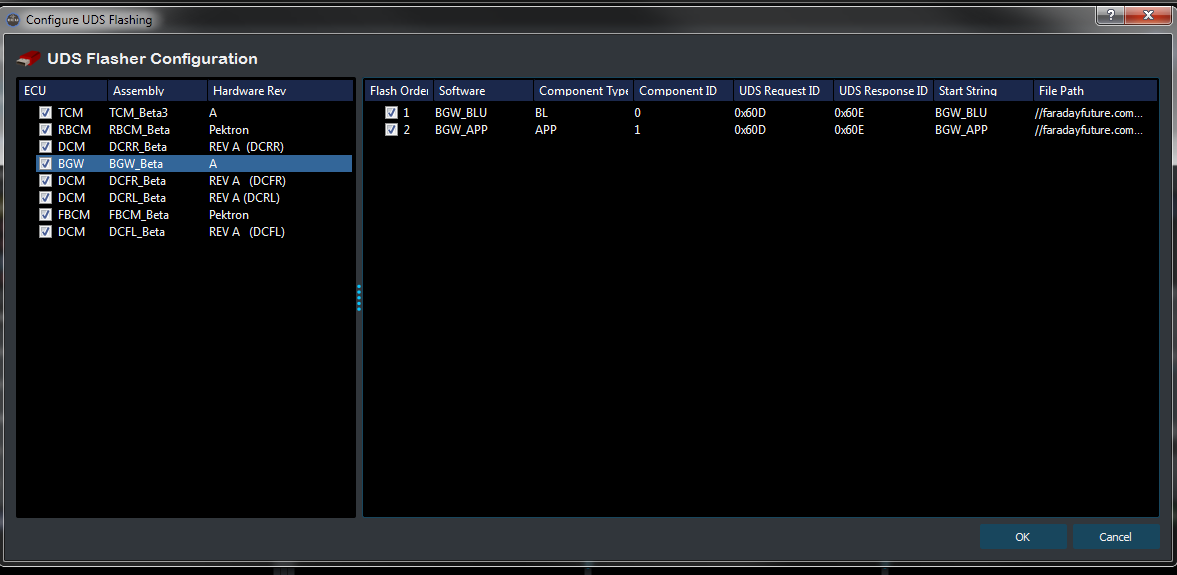
Select the Manifest to be flashed
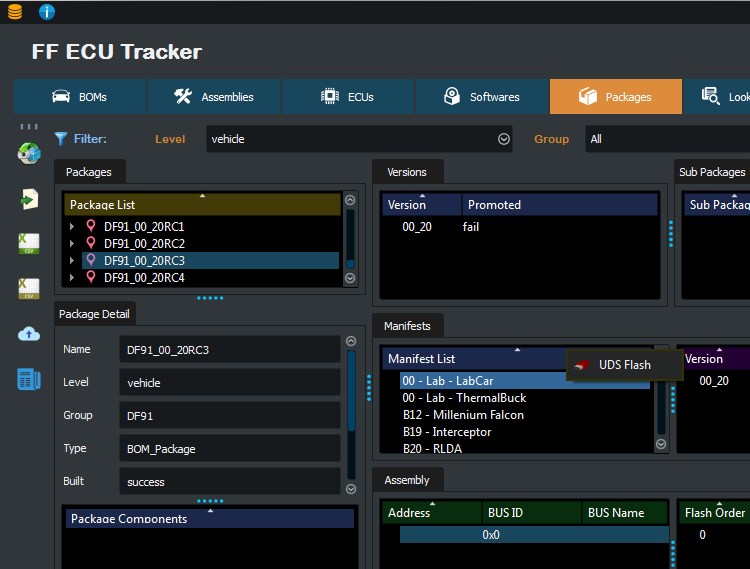
Select target ECUs and Software Components to be flashed.
Use left side Check Box to select the target ECU and Software, the default is checked for all level.
Flash order can be changed by reordering the ECU list and Software list with Drag and Drop action.
Click OK to start flashing
Flash Assembly
After started the UDS flashing, it will automatically start configure each Assembly from the selection.
Hex files will be extracted from component zip files.
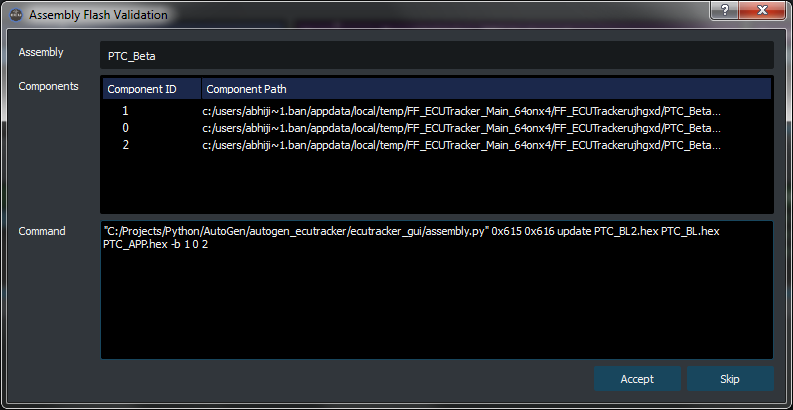
A validation dialog will pop up after all hex files for each Assembly are successfully extracted.
A list of components going to be flashed for the assembly will show in the dialog.
The auto-generated command will be used for flashing.
Select Accept if all information is correct, then the flashing command will be executed.
Select Skip if information is incorrect, then the Assembly will be skipped.