Package Signature
Overview This document contains the instruction for signing package file with fix ECDSA keys.
- Author
Shan Deng
- Date
Nov 01, 2021
- Version
7.4.0
Introduction
From version 6.0.0 this feature will be available.
The documentation of ECDSA Keys is available PKCS7 Steps.
From version 6.0.0 all packages will be signed with PKCS7 key by default.
Customize key setting is also available in
Tools Setting.Control for none signature is also available with trigger package build.
Key Setting (Customize Key Files)
By default ECU Tracker will load the default key files from FF Proto Tool.
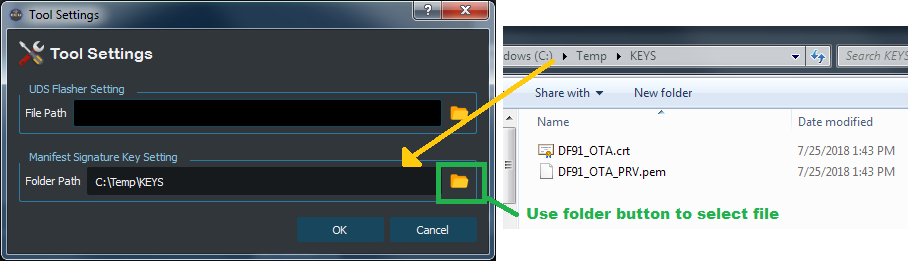
To use customized key files go to
Menu>Tool Settings.Use the Folder icon to select the key file location.
Make sure the selected location contains both Private Key and Certificate files.
Make sure the selected location only contains one set of key files.
Add Signature with Package Creation
Note
Signature will be add to both release and customized OTA packages by default, but with a No Signature option provided. When adding signature, the private key and certificate will be loaded automatically. If any of the private key or certificate is missing, ECU Tracker will display an error and block build.
Release Package Signature
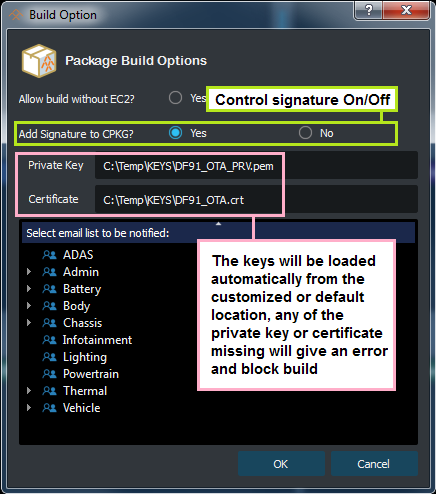
Signature setting will be show in the Build Option dialog before build start.
The Private Key and Certificate will be loaded automatically from the key location.
Field “”Add Signature to CPKG** us used to control signature On / Off.
If signature is On but any key file missing, an error will show and block building.
OTA Custom Package Signature
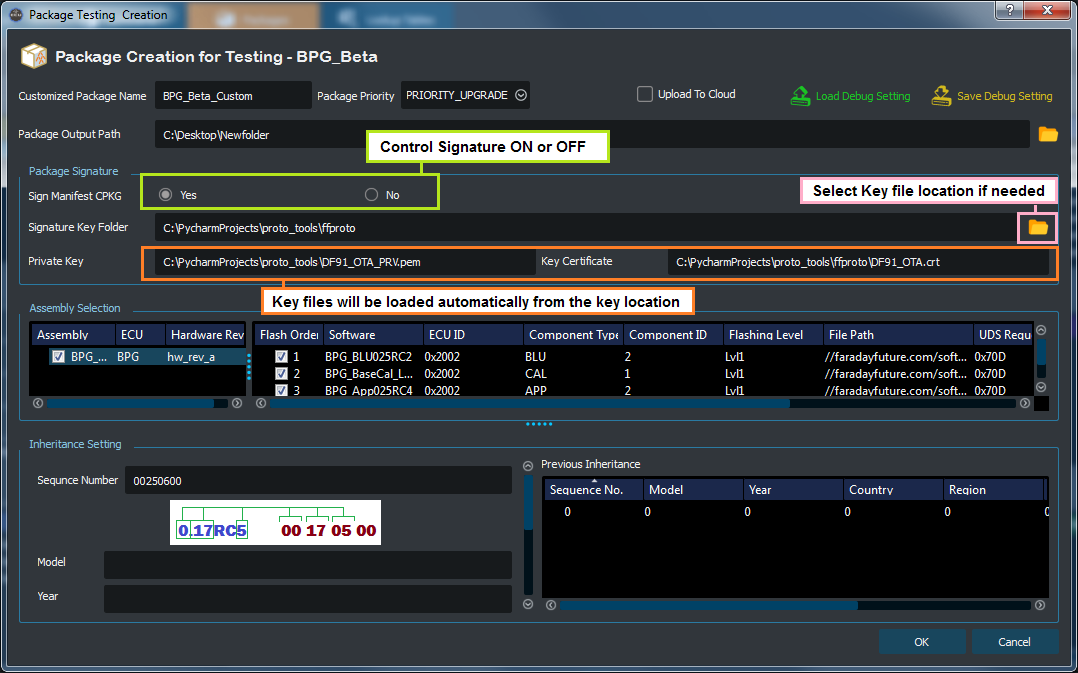
Signature setting will be show in the Package Testing Creation window.
The default key folder will be showed automatically.
Use Sign Manifest CPKG to control signature On or Off.
Use Folder button to select customized key location if needed.
The Private Key and Certificate will be loaded automatically.
If signature is On but any key file missing, an error will show and block building.