Package Test
Overview This document contains the instruction for release package testing method.
- Author
Shan Deng
- Date
Nov 01, 2021
- Version
7.4.0
Package Automate OTA Test
Note
The Automate OTA test for RC ECU packages is currently an experimental feature for version 6.2.1+
The automate OTA test is currently only supporting ECU LEVEL PACKAGES.
To make the ECU Assembly eligible for OTA test, you need to contact Mayur Jain to add your Assembly.
For any eligible ECU Assembly, you should be able to see the Auto OTA Test field to be True after create the ECU Package.
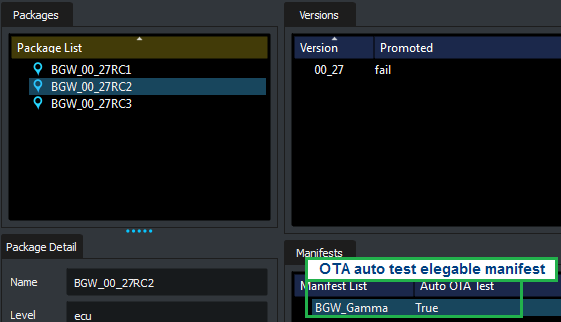
An auto run OTA test will be started after the ECU package was created.

The OTA automate test is using Jenkins job OTA-HIL-RC-Tests.
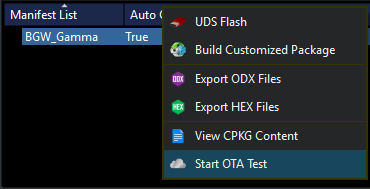
To manually trigger OTA test for eligible manifest, please use the trigger shown below.
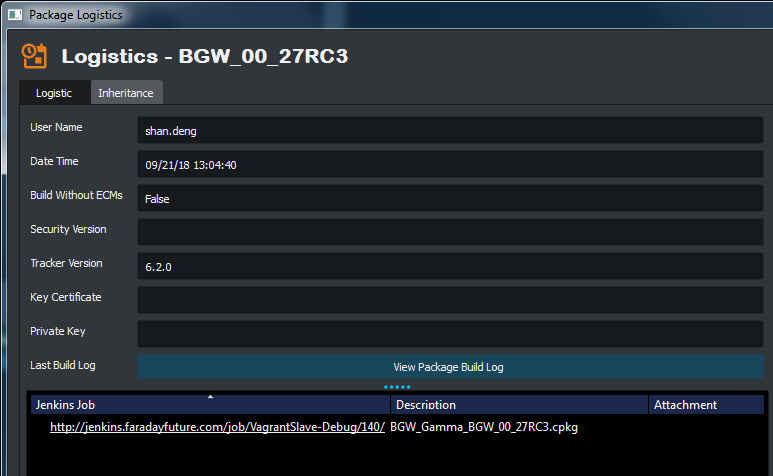
After the manifest OTA test been triggered, you should be able to check the job link in
Package Logistics.
Assembly OTA Test Setting (Admin Only)
Note
The setting is only configurable by Admin users.
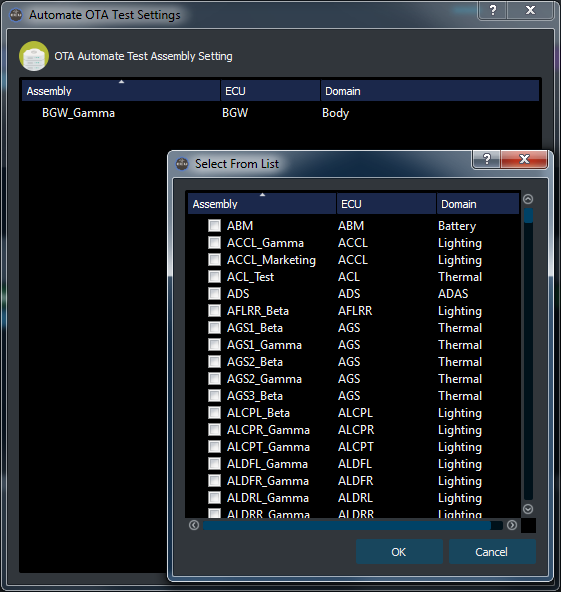
To configure the eligible assemblies for OTA automate test, go to
menu > Developer Tools> OTA Automate Test.
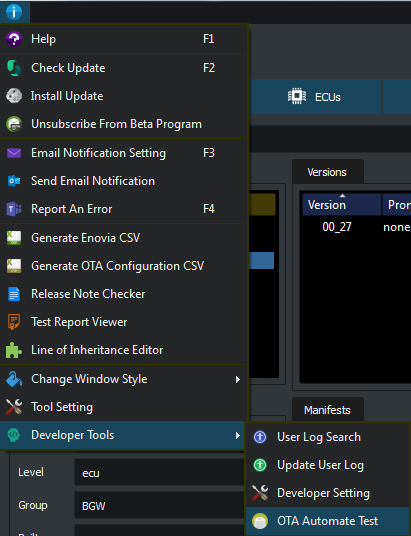
To add/remove Assembly to/from automate test list right click in the list area.
To add target Assemblies by checking the check box in the pop up list.