Release Note Generator
Overview Below is the comprehensive description of the Release Note Generator
- Author
Shan/Abhijit
- Date
Nov 01, 2021
- Version
7.4.0
The Release Note Generator is a tool that will let developers be able to generate the release note text file without building the package for both Domain and Vehicle level.
Where
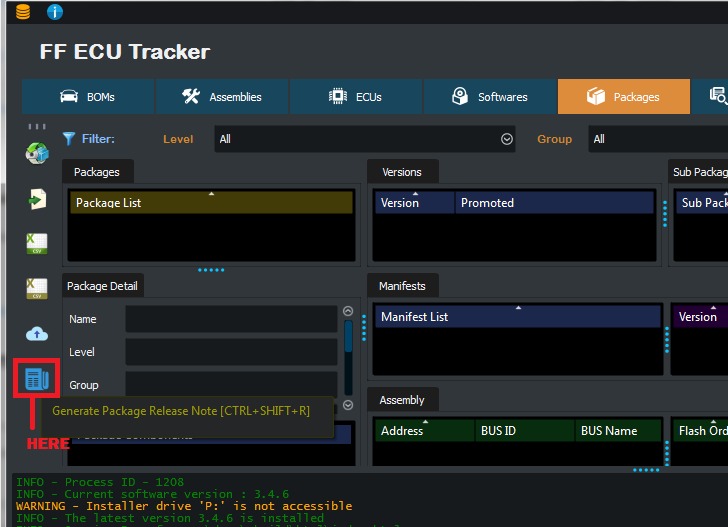
The Release Note Generator can be found in package window tool bar menu. The Release Note Generator requires database to be loaded before use it.
How
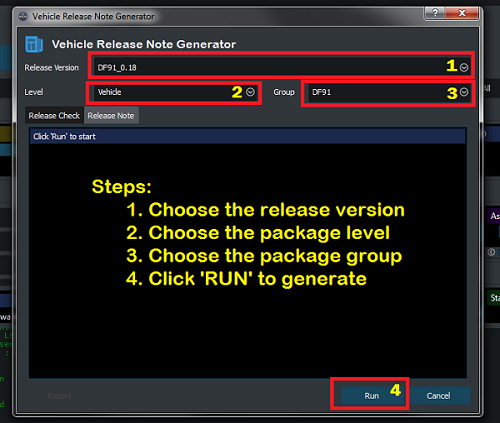
To generate release note please follow the steps described in below:
Step 1: Choose the release version that you want to generate for.
Step 2: Choose the package level that you want to generate for.
Step 3: Choose the corresponding package group that you want to generate for.
Step 4: Click RUN to start generating the release note.
Usage
Scenario 1
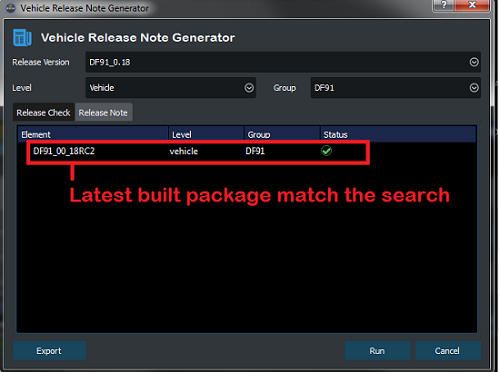
When the release note generate started, it will first search for the current existing package. If there is a package match the requirement (version , level, group), it will get the release note directly from that package.
Scenario 2
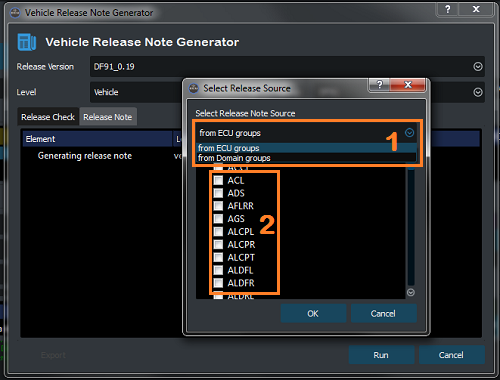
If there is no exist package match the search a pop-up dialog will show to let you pick the source that you want to use in order to get the release note information from.
Step 1: Use drop down to select source level. (ECU level or Domain Level), the domain level will also get release information from ECU packages but based on the ECU domain. (Each ECU has a domain assigned to it)
Step 2: Use the check boxed to select the groups that you want to include for generating release note.
Step 3: Click OK to import the source.
Hint: right click to use Select/Deselect ALL.
Result
When generating release note by reading each ECU release information, there are following results will happens:
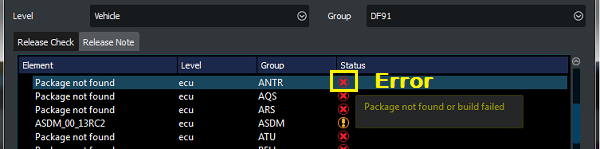
Case Error
In the case of an Error mark:
There is no ECU package found that match the search, based on version.
There is an ECU package match the version but the package was not successfully built.
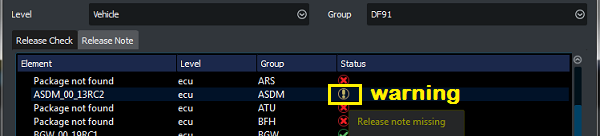
Case Warning
In the case of an Warning mark:
An ECU package match the version was found and was built successfully, but the release note of that package is empty.
Case Pass
In the case of an Pass mark:
An ECU package match the version was found and was built successfully, which release note was successfully be read.

Output
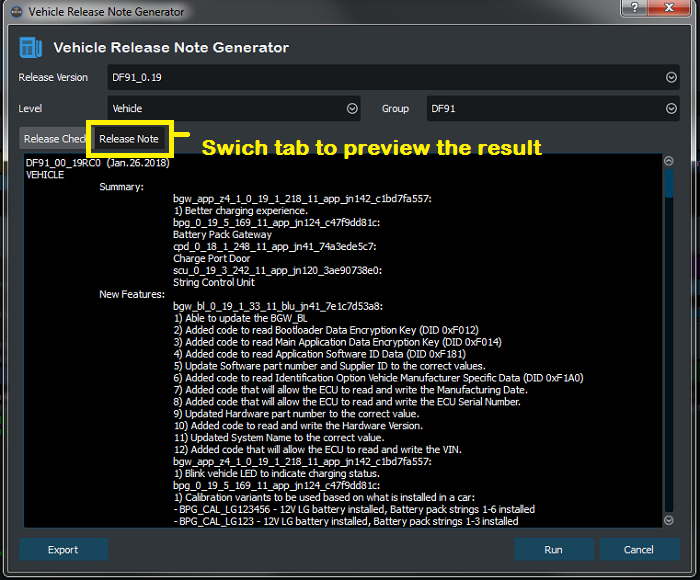
Preview
You can always preview the result release note in the Release Note tab.
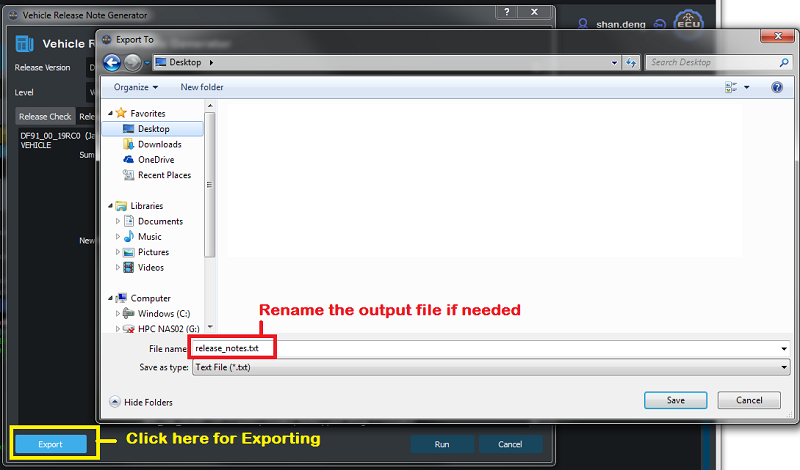
Export
You can export the result release note by clicking Export button in the down-left conner. You will need to select a output directory.
For more sample release notes and examples, go to Release Notes.