Error Reporting
Overview
This document shows how to report error for ECU Tracker
- Author
DanielD/Shan/Abhijit/
- Date
Nov 01, 2021
- Version
7.4.0
Report Usage
This feature is for reporting a software error of ECU Tracker to the Microsoft Teams [System_ToolsSupport] channel.
To Start
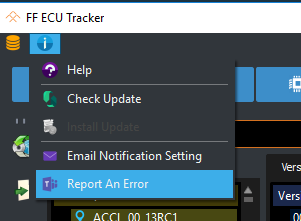
When a software error occurs, go to .
Report Information
A current screen shot will be took after the report started.
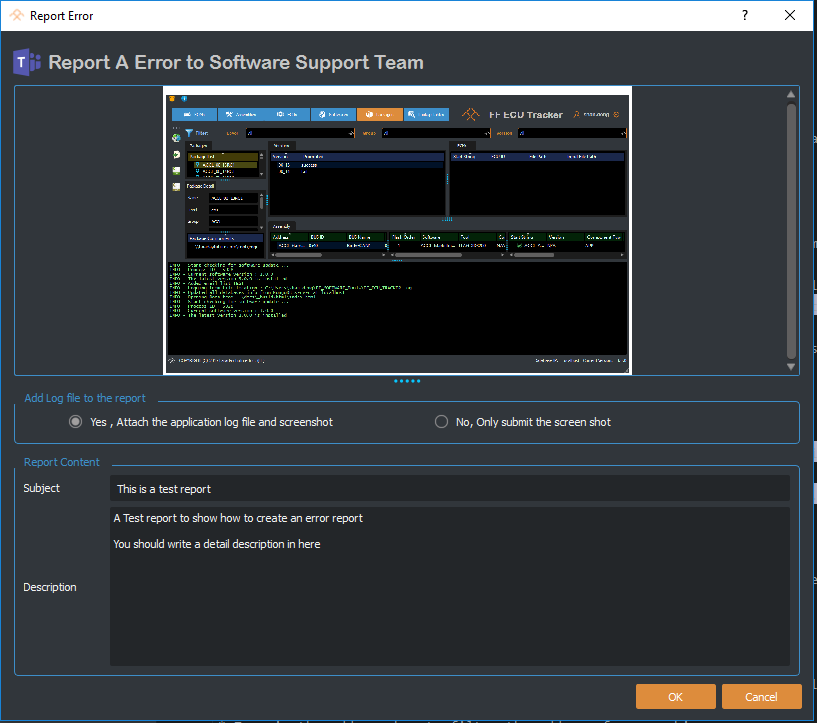
Zoom the screen shot with mouse wheel or right click to toggle zoom bar
Save the screen shot by right clicking the image
Attach application log file and screenshot - Change the radio button to select if you want to attach the software log.
Subject - Type in a subject for the error report.
Description - A detailed description is highly recommended, which should describe how the error occurred.
Report Post
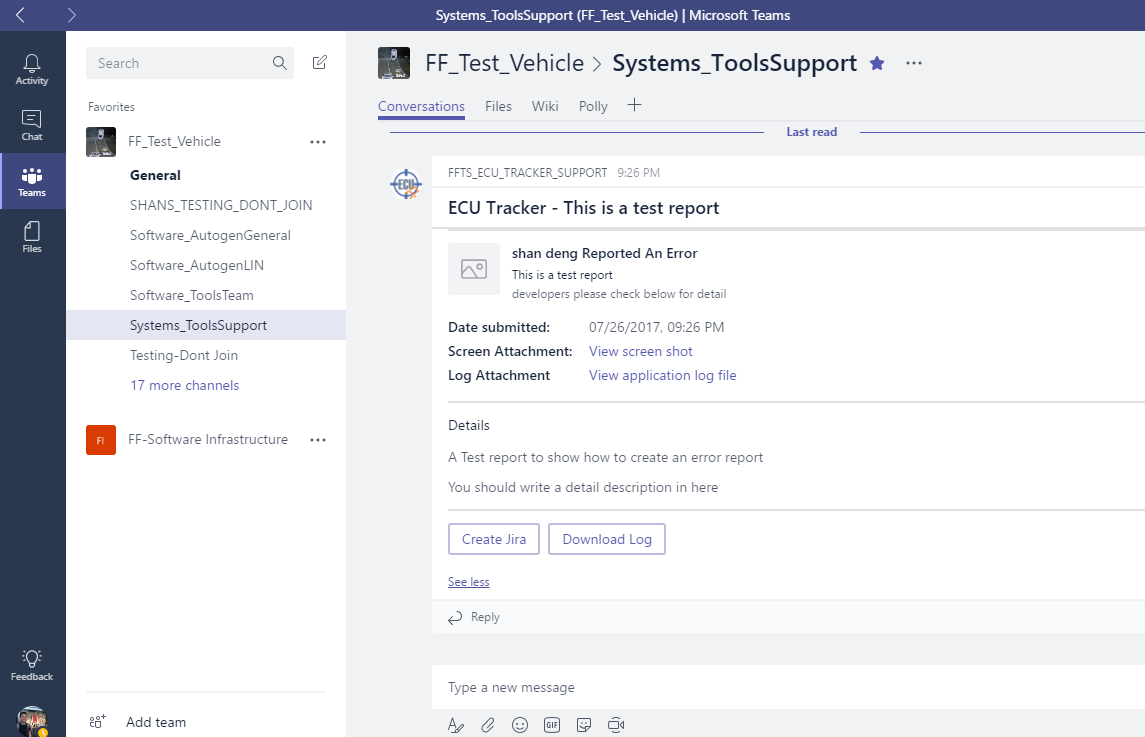
After submitting an error report, you should be able to track the report in Microsoft Teams [System_ToolsSupport] channel.