Troubleshooting
Overview
This document shows some common errors and how to fix them.
- Author
DanielD/Shan/Abhijit/
- Date
Nov 01, 2021
- Version
7.4.0
Verify Permission Level
Before contacting the support team please verify your current permission level and what each level means.
For in depth explanation of user access please see Permission Levels.
To know how to check permission levels, see the gif How to log-on.
Can’t Build a Package
Number one cause is that you DO NOT have access to build package, please check Permission Levels.
You need to have
developerlevel access to the domain of the ECU.
If the package build jenkins job is triggered but it does not make one, check the error log.
If you still have issue, please report using or
F4shortcut. Then please fill out the error details and hitOk.The error gets reported to Tools Support Channel with your log and screenshot. Then please go to your reported error and add as many details as you can.
Also, to check details of a package build, please go to the logistics of the package.
To view logistics,
Please look at the screenshot below.
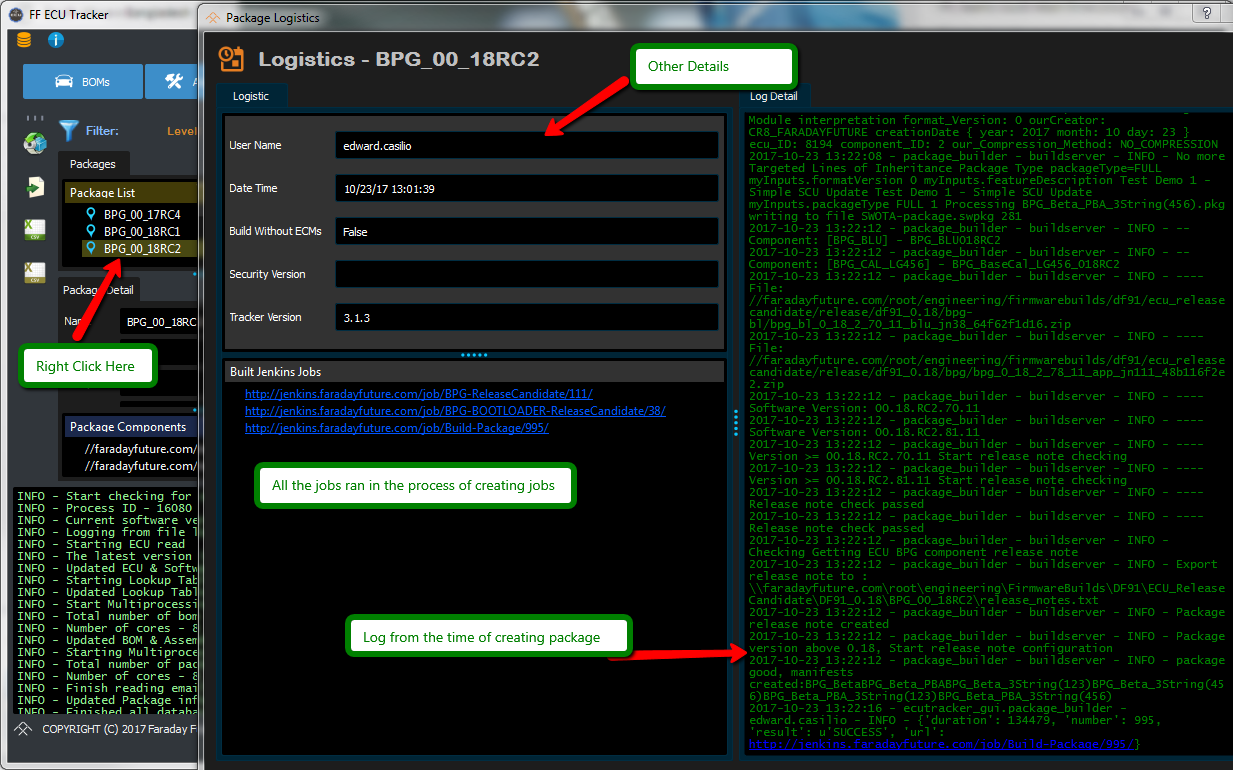
An image showing how to check package logistics
Can’t Promote a Package
Number one cause is that you DO NOT have access to promote a package, please check Permission Levels.
You need to have
testerlevel access to the domain of the ECU.
To promote a package you need to right click on package version window.
For more information see Promoting or Failing a Package
If the right click menu as shown before doesn’t show up,it could be due to 2 reasons:
You do not have correct permissions, for that check Permission Levels.
Or the package has not been built successfully.
You can not promote or fail a package that is not built properly. Please verify that the package is built properly by checking the
Package DetailWindow and looking forBuiltvalueA properly built package has the value
success.
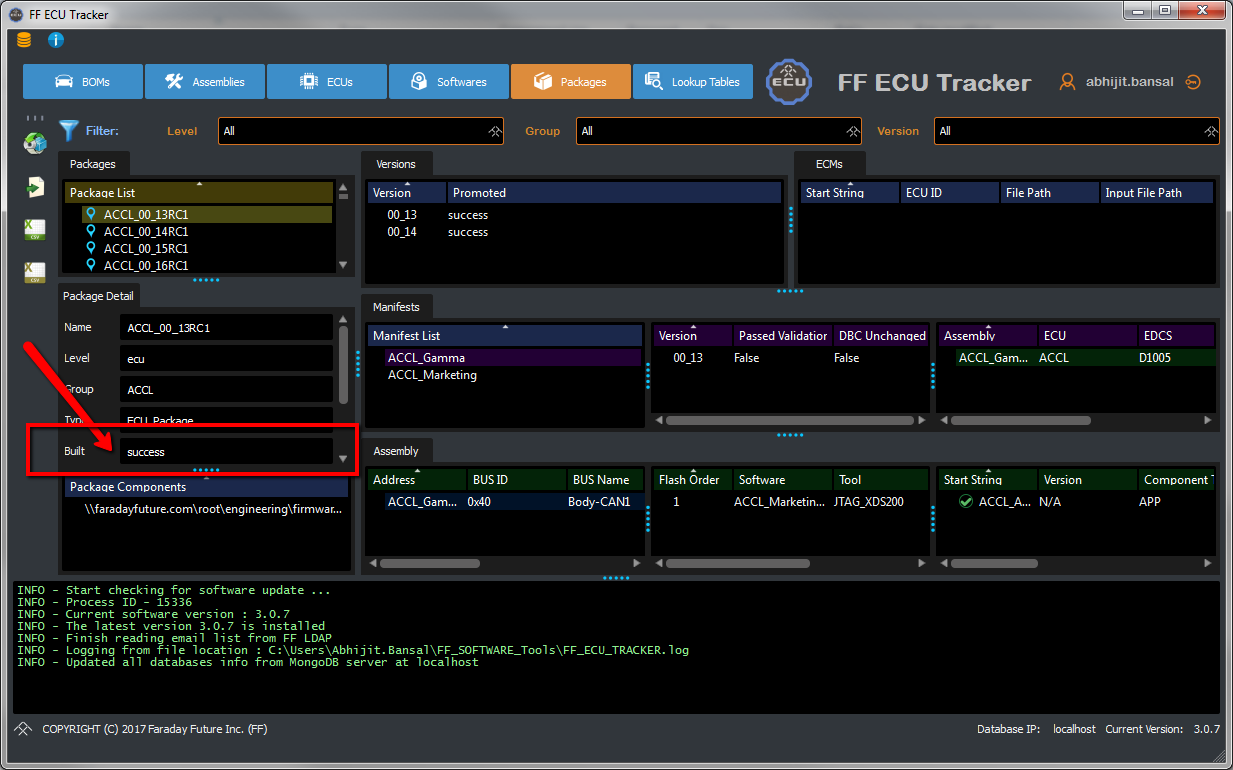
An image showing how to check package build status