User Access
Overview
This document shows types of user access and how to request permissions.
- Author
DanielD/Shan/Abhijit/
- Date
Nov 01, 2021
- Version
7.4.0
New in version 3.0.0.
What
Add basic access control for ECU Tracker
Why
To reduce accidental updates to the database.
Secure our DB as we move towards production and beyond.
To increase quality.
How
Use the same user/password as people use to log-on to their machine/jama/jenkins making it user friendly.
Let IT manage the user permissions.
Permission Levels
- There are two different permission levels
Developer
Tester
Each permission applies for a specific domain or the vehicle.
When requesting access, please specify the domain for which you would like to have developer or tester level permissions. Please read below examples to make sure you ask permission for the right group.
Developer – Person who can make packages, and make assemblies, and change any ECU part of the domain as defined in DB.
Note
Developer level access does not allow the user to promote a package. Promoting a package means it has been tested sufficiently to allow it to be used in the next phase of validation os usage. Hence, you need Tester level access to promote packages.
Tester – Person who can change status of a package created by ECUTracker, i.e. promote a package.
Note
Tester level access does not allow the user to build any level packages. User must request Developer access to build packages.
A user can be part of both or just one group. By default, a user doesn’t get access to both permissions. User needs to request access for the missing permission separately.
Only people with right domain membership can change information.
By default, everyone will be able to read/see all information, i.e. View only access.
Example 1
You are Battery Domain Developer
You can change any information for ECU which have domain Battery.
You can create packages for battery domain or for any ECU in battery domain.
You can make assemblies for battery ECUs or domain BOM for battery.
Example 2
You are Battery Domain Tester
You can promote packages for battery domain ECU or the battery domain package.
Example 3
You are Vehicle Developer
You can create packages for Vehicle level.
You can make vehicle level BOM.
How to get permission
Please file an IT jira ticket, here and tell them for which domain you want access, what level (developer or tester), and why.
Get it approved by your manager.
For example, if you want Body Domain Developer role, you can request something like this:
Please give me access to ECU Tracker - Body Developer Group
If you need to be able to promote, say ADAS packages, in the ticket say:
Please give me access to ECU Tracker - ADAS Tester Group
Warning
Please do not just say give me read/write access. There is no such thing. Please read this documentation correctly and request accordingly.
How to log-on
Please use the same user name/password credentials as you do with jenkins/jama/jira.
Note
We do not save password, but we can remember your user id.
Once you log-in you can check you permission levels, please see the gif below.
You can also log out and log back in to check if you have updated permissions.
To check permissions just hover your mouse over the body icon next to your name as show below.
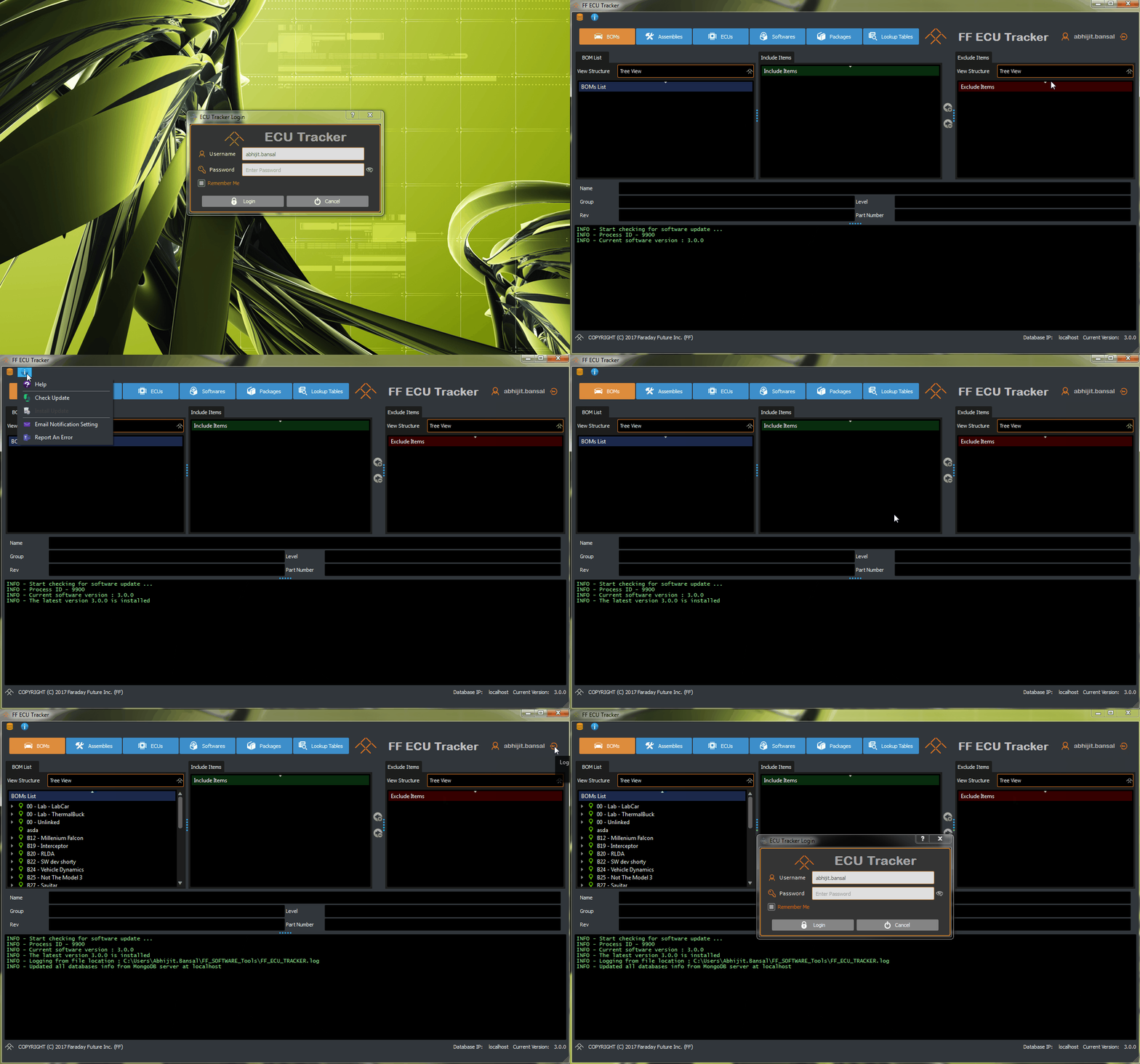
A gif showing the user access control
Use Re-Login and Logout
Re-Login
Right click on the user name area to get the re-login option
Note
The action will apply all user permission updates (access group information changes)
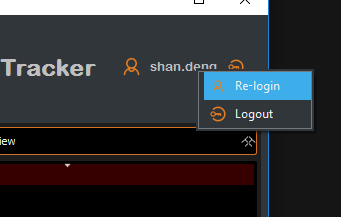
Logout
Right click on the user name area or click the logout button
Note
After logout, login is required to return to the ECU Tracker.